Apps for Kids Fitness Classes: GoNoodle vs Cosmic Kids vs BabyGains Play
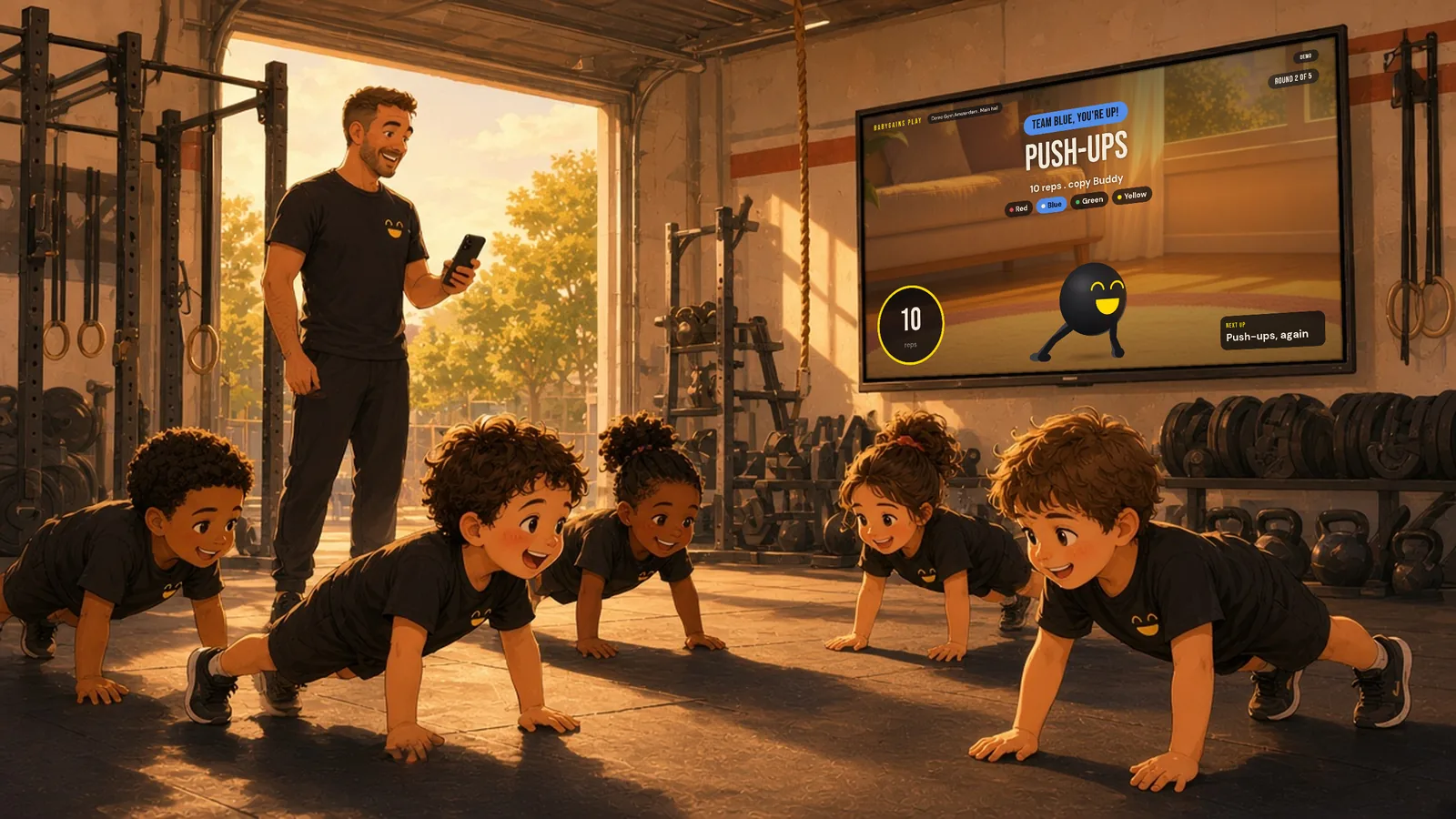
If you want a screen in your kids fitness class, three names come up: GoNoodle, Cosmic Kids and BabyGains Play. They are built for different rooms. This guide compares them for a coach running a kids class at a gym: what each one is, who controls the pace, which ages it suits, what it costs, and whether you can use it in a paid class.
We make BabyGains Play, so read our part with that in mind. Everything we say about GoNoodle and Cosmic Kids comes from their own sites, linked below.
GoNoodle
GoNoodle is short movement and mindfulness videos and games, designed with K–5 classrooms in mind. It is free for teachers, the content runs from 1 to 20 minutes, and it needs a computer, broadband and a screen all students can see (GoNoodle support). SuperNoodle is a separate, paid well-being curriculum licensed to schools and districts, not to individual teachers (SuperNoodle FAQ). The teacher presses play and the video runs. If you are thinking of GoNoodle games for a paid gym class, check their terms first.
Cosmic Kids
Cosmic Kids is yoga, mindfulness and exercise videos for ages 3 to 9, presented by Jaime. The app costs $10 a month or $65 a year after a 14-day free trial at the time of writing (November 2026), and streams on mobile, desktop and TV (app.cosmickids.com). Its help page says schools may show the videos for "ordinary educational, non-commercial classroom use", and that "commercial programmes ... may require separate permission" (Cosmic Kids help). A paid gym class should ask Cosmic Kids first.
BabyGains Play for gyms
BabyGains Play for gyms puts Buddy, the animated coach from our app, on any screen with a browser: a smart TV, a laptop with a projector, or a tablet. You pair it with a short code; there is nothing to buy or install. The coach runs the class from their phone (start, pause, next move) and the screen follows. A session builder lets you build your own class from moves already in BabyGains Play, each with Buddy's demo. Kids play in teams by colour, with no kid accounts and no names, and the class ends with a short celebration. You need internet on the screen and the phone during class.
It is built for classes of ages 2 to 8. Kids classes can start with 1 month free; after that, Studio is $49 and Pro $99 per location per month. Buddy shows the move; the coach runs the class.
Side by side
| GoNoodle | Cosmic Kids | BabyGains Play for gyms | |
|---|---|---|---|
| Format | GoNoodleMovement and mindfulness videos and games | Cosmic KidsYoga, mindfulness and exercise videos | BabyGains Play for gymsMoves on the big screen, controlled by the coach |
| Who sets the pace | GoNoodleThe video, once the teacher presses play | Cosmic KidsThe video | BabyGains Play for gymsThe coach, from a phone: start, pause, next move |
| Ages | GoNoodleDesigned with K–5 classrooms in mind | Cosmic Kids3 to 9 | BabyGains Play for gymsClasses for 2 to 8 |
| Price | GoNoodleFree for teachers; SuperNoodle is a paid school or district licence | Cosmic Kids$10 a month or $65 a year after a 14-day free trial, at the time of writing (November 2026) | BabyGains Play for gyms1 month free for kids classes, then from $49 per location per month |
| Use in a paid class | GoNoodleCheck their terms for a paid class | Cosmic KidsCommercial programmes may need separate permission: ask first | BabyGains Play for gymsBuilt for gym classes |
| Kid accounts and data | GoNoodleCheck their terms | Cosmic KidsCheck their terms | BabyGains Play for gymsNo kid accounts, no names needed |
Which one fits your class?
- GoNoodle is the better fit for classroom brain breaks. If you teach K–5 and want a free, press-play movement break between lessons, it was built for that. For more calm-down and wake-up ideas, see our brain breaks for kids.
- Cosmic Kids is the better fit for story-led yoga. If your class is yoga and mindfulness for ages 3 to 9, its videos are made for exactly that; ask them about use in a paid class.
- BabyGains Play for gyms fits a coach-led kids class at a gym. If you want the coach to set the pace, build sessions from moves and split kids into colour teams, ages 2 to 8, that is what we built it for.
A screen is one part of a class, never the whole class. To plan the rest, use our kids fitness class lesson plan, or start at how to start a kids fitness class. Whatever you put on the screen, the point is the same one behind fitness parenting: kids moving, with adults who move too.
Frequently asked questions
1. Can I use GoNoodle in a paid kids fitness class?
GoNoodle is designed with K–5 classrooms in mind and is free for teachers. Its paid curriculum, SuperNoodle, is licensed to schools and districts. For a paid gym class, check GoNoodle's terms before you use it.
2. Can a gym show Cosmic Kids videos in a paid class?
Cosmic Kids says schools may show its videos for ordinary educational, non-commercial classroom use, and that commercial programmes may require separate permission. A paid gym class should ask Cosmic Kids first.
3. How much does Cosmic Kids cost?
The Cosmic Kids app is $10 a month or $65 a year after a 14-day free trial, at the time of writing (November 2026), according to app.cosmickids.com.
4. Does BabyGains Play for gyms need kid accounts?
No. Kids play in teams by colour, with no kid accounts and no names needed. The coach runs the class from their phone and the big screen follows.
5. Which app should I use for a kids fitness class?
It depends on the class. GoNoodle suits free classroom movement breaks for K–5, Cosmic Kids suits story-led yoga for ages 3 to 9, and BabyGains Play for gyms suits a coach-led class for ages 2 to 8 where the coach sets the pace.
Enjoyed this article?
Get more like it in your inbox. No spam, just good reads for parents who lift.